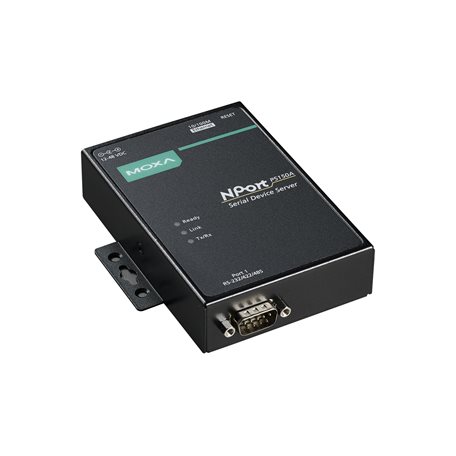
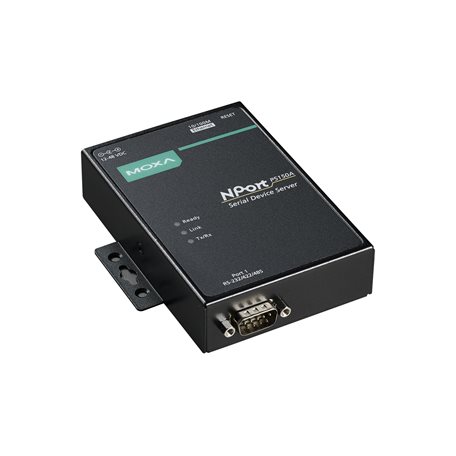
NPort® P5150A device servers are designed to make serial devices network-ready in an instant. It is a power device and is IEEE 802.3af compliant, so it can be powered by a PoE PSE device without an additional power supply. Use the NPort® P5150A device servers to give your PC software direct access to serial devices from anywhere on the network. The NPort® P5150A device servers are ultra-lean, ruggedized, and user-friendly, making simple and reliable serial-to-Ethernet solutions possible.
Surge Protection for Serial, Ethernet, and Power
Surge, which is typically caused by high voltages that result from switching and lightning transients, is a common threat to all electrical devices. Moxa’s leading-edge surge immunity solution, which is applied to the NPort® P5150A’s serial, power, and Ethernet lines, is tested and proven compliant with IEC 61000-4-5. This state-of-the-art surge protection provides a robust serial-to-Ethernet solution that can protect electrical devices from voltage spikes and withstand electrically noisy environmental conditions.
3-Step Web-based Configuration
The NPort® P5150A’s 3-step web-based configuration
tool is straightforward and user-friendly. The NPort® P5150A’s web
console guides users through 3 simple configuration steps that are
necessary to activate the serial-to-Ethernet application. With this
speedy 3-step web-based configuration, a user only needs to spend
an average of 30 seconds to complete the NPort® settings and enable
the application, saving a great amount of time and effort.
Easy to Troubleshoot
NPort® P5150A device servers support SNMP, which can be used to monitor all units over Ethernet. Each unit can be configured to send trap messages automatically to the SNMP manager when user-defined errors are encountered. For users who do not use SNMP manager, an email alert can be sent instead. Users can define the trigger for the alerts using Moxa’s Windows utility, or the web console. For example, alerts can be triggered by a warm start, a cold start, or a password change.
Windows 11, 10, 8.1, 8, 7, Vista, XP, ME, 98, and 95 Windows Server 2022, 2019, 2016, 2012 R2, 2012, 2008 R2, 2008, 2003, 2000, and NT Windows Embedded CE 5.0 and 6.0, Windows XP Embedded
Linux Real TTY Drivers
Kernel versions: 6.x, 5.x, 4.x, 3.x, 2.6.x, and 2.4.x
Fixed TTY Drivers
macOS versions: 14, 13, 12, 11, and 10.1x SCO UNIX, SCO OpenServer, UnixWare 7, QNX 4.25, QNX 6, Solaris 10, FreeBSD, AIX 5.x, HP-UX 11i, Mac OS X
Arm®-based Platform Support
Windows 11 Linux Kernel 6.x, 5.x, and 4.x macOS 14, 13, 12, and 11
Virtual Machine
VMWare ESXi (Windows 11/10) VMware Fusion (Windows on macOS 14, 13, 12, 11, and 10.1x) Parallels Desktop (Windows on macOS 14, 13, 12, 11, and 10.1x)
Android API
Android 3.1.x and later
MIB
RFC1213, RFC1317
Connector
DB9 male
No. of Ports
1
Serial Standards
RS-232 RS-422 RS-485
Operation Modes
Disabled Ethernet Modem Pair Connection Real COM Reverse Telnet RFC2217 TCP Client TCP Server UDP




.jpg)